Why Your Lovable App Doesn't Rank on Google (And How to Fix It)
Lovable uses client-side rendering, which means Googlebot sees almost nothing. Here's how to fix it with React Helmet, sitemaps, and SSR.
Why Your Lovable App Is Invisible on Google (And How to Fix It)
You spent days or weeks prompting, iterating, and shipping a product you're proud of. You put it out into the world. Then you Google it, and it's nowhere to be found.


If you've built with Lovable, this is probably not a coincidence. There's a structural reason your site isn't ranking, and it has nothing to do with your content or your keywords. It has everything to do with how Lovable renders pages under the hood.
How Google Actually Reads Your Site
When Google wants to understand your website, it sends a crawler to visit your web pages. That crawler reads the raw HTML of your page, like opening a document and uses what it finds to decide what your site is about, who to show it to, and where to rank it.
The more meaningful HTML it can read, the better it understands your site. The less it finds, the more invisible you become. Here's where Lovable runs into trouble.
The Problem: Lovable Uses Client-Side Rendering
Lovable is built on Vite, which means it uses client-side rendering (CSR). When someone visits your site, here's what actually gets sent to their browser:
<div id="root"></div>
That's roughly it. An empty shell. The real content, your headlines, your copy, your page structure, gets loaded after JavaScript runs in the browser.
For a human visitor, this is seamless. Their browser executes the JS, everything renders, and they see your site just fine.
But Googlebot is different. It shows up, sees an almost-empty HTML file, and frequently doesn't wait for the JavaScript to finish. It indexes what it can see, which is almost nothing.
Additionally, Vite's architecture means that your other pages, your pricing page, your about page, your features page, don't fully exist in HTML until a user navigates to them. Googlebot never triggers that navigation, so it never sees those pages at all.
The result? Google has no idea what your site is about, what pages exist, or who to show them to. So it shows your site to nobody.
Fix #1: Add Per-Page Metadata with React Helmet
Since Lovable uses React, you can prompt Lovable to install a library called react-helmet-async to inject SEO metadata directly into the <head> of each page, even in a client-side rendered app. This gives Googlebot something real to read for every route.
Without it, every single page on your site looks identical to Google. With it, each page has its own identity.
To add it in Lovable, try this prompt:
Install react-helmet-async and add unique SEO metadata to every page and route in this app. Each page should have its own title, meta description, and open graph tags that accurately describe its content. Use descriptive, keyword-rich copy relevant to what each page does.
Then follow up with:
Add a sitemap.xml and robots.txt file to help Google discover all pages. Make sure canonical tags are set on every route.
This alone is the biggest lever most Lovable projects are missing.
Fix #2: Don't Hide Important Content Behind JavaScript
If your core value proposition, the text that explains what your product does, only appears after JavaScript loads, there's a real chance Google never sees it.
Wherever possible, move critical content into static HTML. Descriptions, headings, key feature copy: these should be in the initial HTML payload, not rendered after a JS waterfall.
This isn't always easy in a CSR architecture, but it's worth auditing. Open your site, disable JavaScript in your browser, and see what's left. What Google sees is roughly what you'd see.
Running a Lighthouse Audit
Google Chrome has a built-in tool called Lighthouse that scores your site across Performance, Accessibility, Best Practices, and most relevant here, SEO.
Here's how to run it:
- Open your site in Google Chrome
- Right-click anywhere on the page → Inspect
- Click the Lighthouse tab at the top of DevTools (you may need to
click the
>>arrow to find it) - Select SEO (you can also check Performance while you're there)
- Click Analyze page load
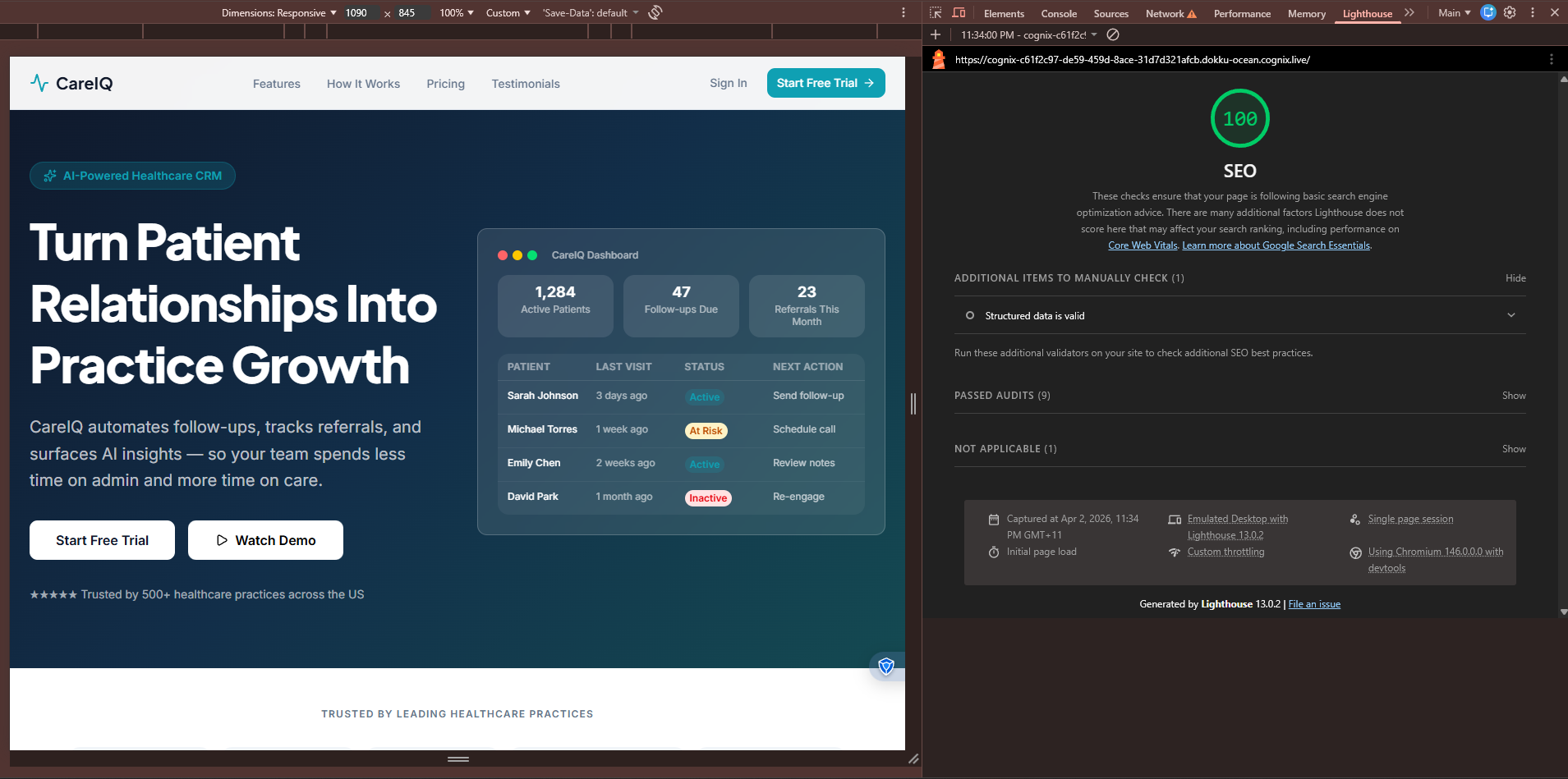 Lighthouse Audit from an app built with Cognix
Lighthouse will flag things like:
- Missing or duplicate
<title>tags - Missing meta descriptions
- Links without descriptive text
- Content that isn't crawlable
A score of 90+ is your target for SEO. If you're below 70 on a Lovable project without any of the fixes above, that's completely normal and fixable.
One caveat: Lighthouse audits your page as rendered in the browser, so it won't fully simulate what Googlebot sees. It's a useful sanity check, but pair it with Google Search Console's URL Inspection tool to see exactly how Google crawled a specific page.
Fix #3: Use a Custom Domain
The Lovable subdomain (yourapp.lovable.app) is fine for early testing, but it carries none of the domain authority that a real custom domain builds over time. Google weighs domain age, backlinks, and history, none of which transfer from a shared subdomain.
Buy the domain. Point it at your app. Do it early, so the clock starts ticking on your domain's credibility.
Fix #4: Submit Your Sitemap on Launch Day
Once you've added a sitemap.xml, don't wait for Google to stumble across your site. Go to Google Search Console, add your property, and submit your sitemap directly.
This tells Google exactly what pages exist and prompts it to crawl them. Without this, you could wait months for organic discovery.
One important expectation to set: even after fixing all of the above, Google takes 3 to 12 weeks to reindex and reflect the changes.
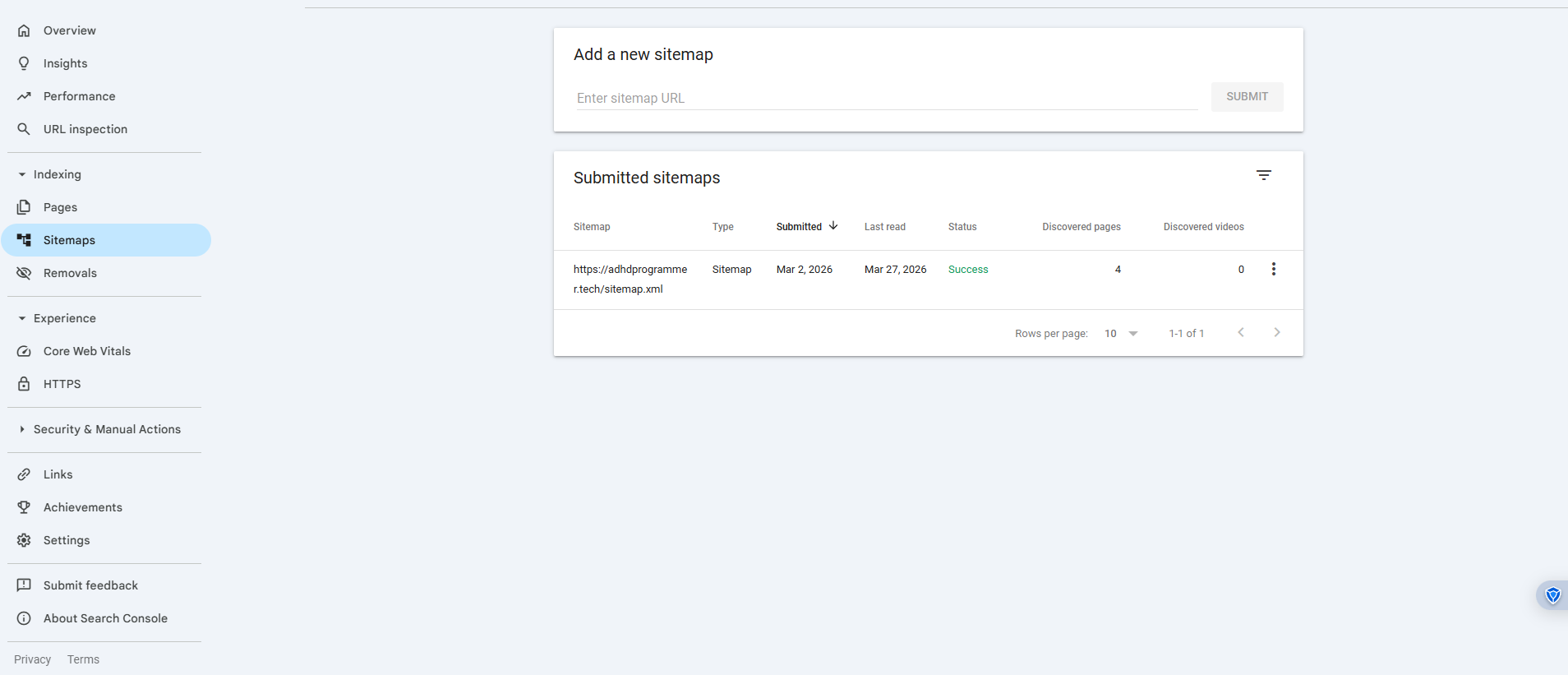 Google Search Console SiteMap
The Bigger Picture: CSR Is a Structural SEO Disadvantage
React Helmet helps. Sitemaps help. Good metadata helps. But it's worth noting that client-side rendering is an inherently harder environment for SEO than server-side rendering (SSR) or static site generation (SSG).
With SSR, your server builds the full HTML for every page before sending it to the browser. Googlebot arrives, sees a complete document, and indexes it accurately. No waiting for JavaScript. No empty shells. No guessing.
Most of the workarounds I discussed so far for Lovable's SEO problem are exactly that, workarounds. They patch over the limitations of CSR rather than solving them at the architecture level.
If You Don't Want to Deal With All This Manually
The steps above do work, but they're also a lot to set up correctly, maintain across routes, and remember every time you add a new page.
If you're looking for an alternative that handles this at the foundation, SSR out of the box, automatic metadata generation per route, sitemap and robots.txt built in, that's one of the reasons why I built Cognix. It's an AI app builder designed from the ground up so that what you ship is actually discoverable and equipped with a production grade backend through Supabase.
No prompting for Helmet. No JavaScript-rendered voids where your content should be.
TL;DR if you have ADHD like I do
- Lovable uses Vite (client-side rendering)
- Googlebot sees an empty HTML file and indexes almost nothing
- Fix it: add
react-helmet-async, write per-page metadata, generate a sitemap, use a custom domain, submit to Search Console - Expect 3–12 weeks for Google to reindex after fixes
- Or use a builder that handles all of this by default